HomeAdvin

For Apple Home users

HomeAdvin

Your smart home, inventoried and protected.

HomeAdvin keeps a record of every accessory in your home, keeps the setup and recovery codes Apple Home won't show you in a vault only you can open, and tells you what needs attention before something stops working.

  • No account
  • No tracking
  • iPhone & iPad
  • iOS 18+
Coming soonto the App Store Email me when it's live
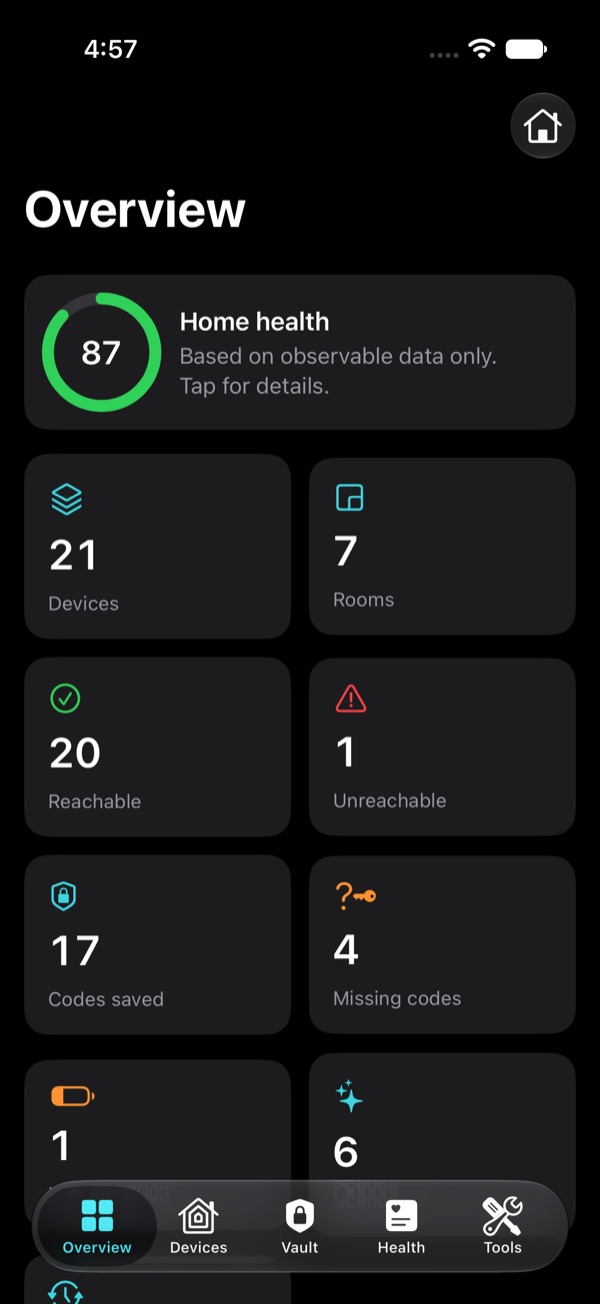
The Overview tab: a home health score of 87, 21 devices in 7 rooms, 20 reachable, 17 codes saved and 4 missing.
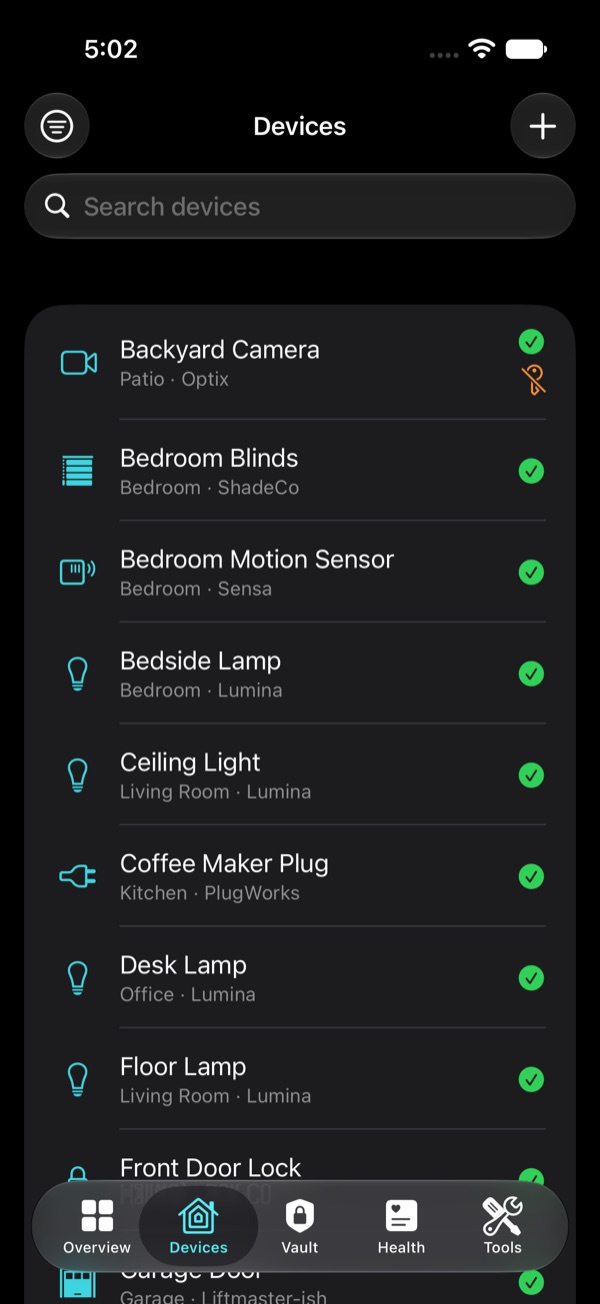
The Devices tab: a searchable inventory of accessories grouped by room.

Everything your home knows, in one place you control.

HomeAdvin sits beside Apple Home. It reads your accessories (it never changes them) and adds the things Apple Home has no room for.

Overview

A health score you can read at a glance

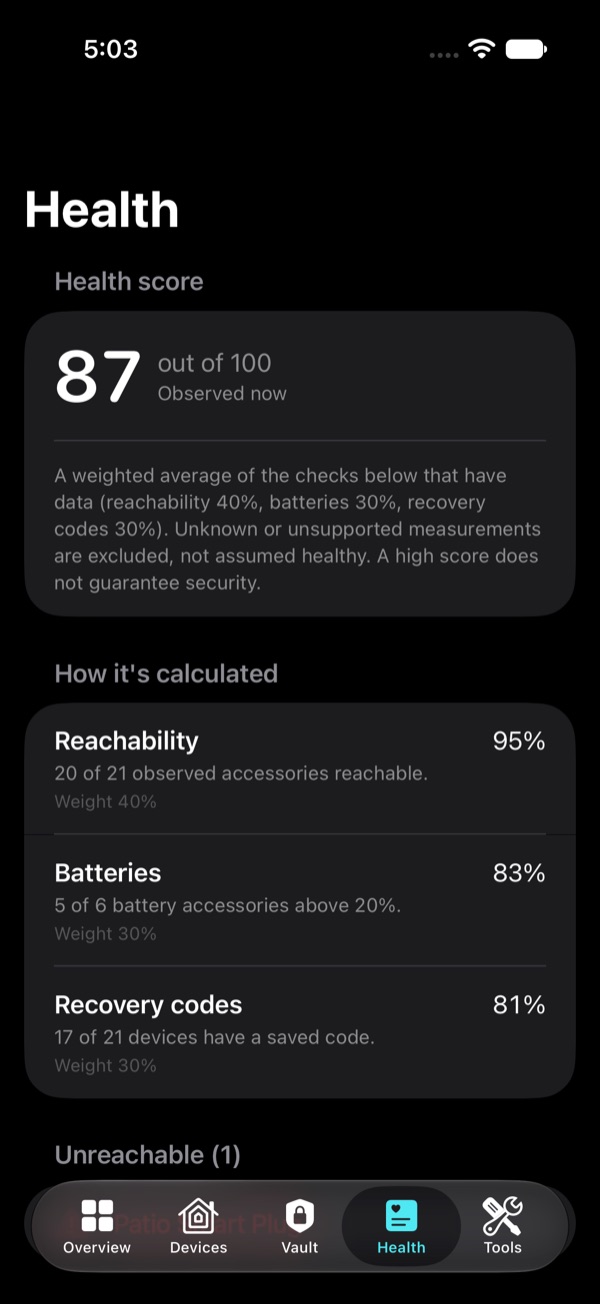
One number, and the reasons behind it. The score is a weighted average of reachability (40%), batteries (30%) and how many devices have a saved recovery code (30%).

  • Measurements with no data are left out, never assumed healthy
  • Shows when the data was last refreshed, and flags it when it's stale
  • A tidy-home indicator, not a security guarantee, and it says so
The Overview tab with the home health score and tiles for devices, rooms, reachable, unreachable, codes saved and missing codes.

Devices

An inventory of every accessory

Pull your accessories in from Apple Home, or add the ones that aren't in it by hand. Keep notes, purchase details and warranty dates next to each one.

  • Filter by room, missing code, low battery or unreachable
  • Removed accessories keep your notes, so nothing is lost when you re-pair
  • Your own records are separate from what Apple Home reports
The Devices tab: accessories listed by room with their status.

Vault

The codes Apple Home won't show you

Apple Home can't reveal the setup code of an accessory you've already paired. If you factory-reset it, a lost code is a long afternoon. Store each code, or scan it from the label, and keep it safe.

  • Held in the iOS Keychain, revealed only after Face ID, Touch ID or your passcode
  • Locks itself when you leave the app, and hides in the app switcher
  • Never in a log, a search index or a plain-text export without a warning
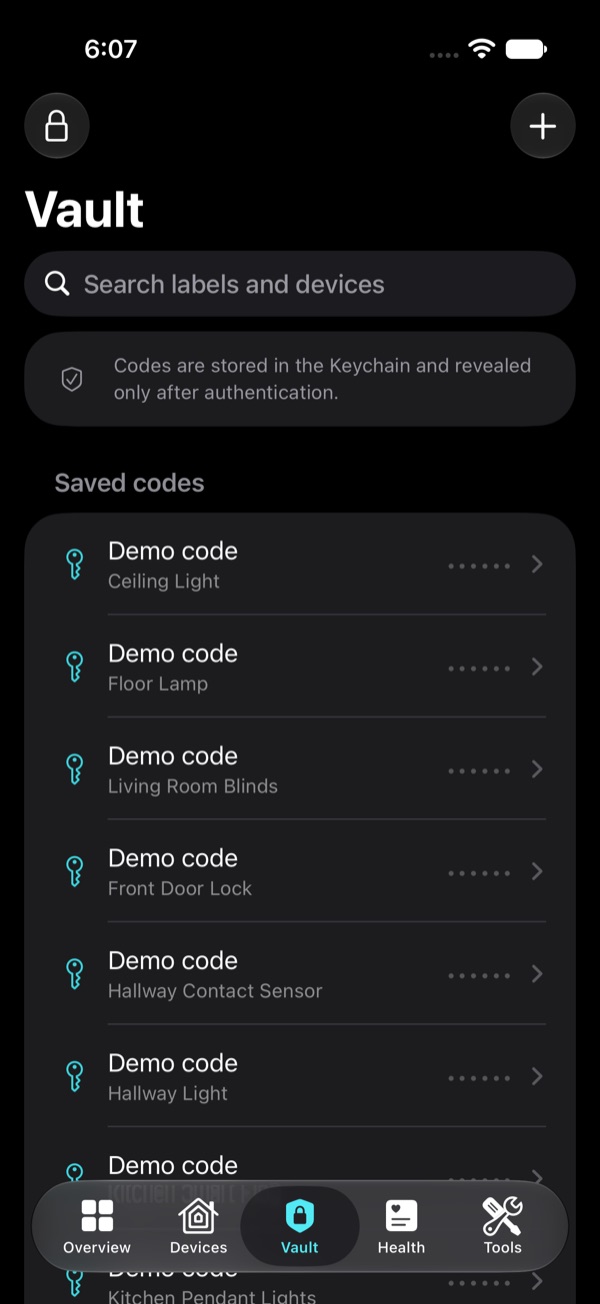
The Vault tab listing devices with saved and missing codes.

Health & tools

Find the problem before it finds you

See which batteries are low and which accessories have gone quiet, with a history you can chart. When something misbehaves, the diagnostics tools help you work out why.

  • A read-only automation inspector that points out possible overlaps and conflicts
  • Configuration history: snapshots of your home, with a diff of what changed
  • Network diagnostics for HomeKit, Matter and Thread devices, only when you start them
  • Maintenance reminders, such as battery replacements
The Health tab with the score breakdown for reachability, batteries and recovery codes.

Private by design

HomeAdvin has no servers, no accounts, no analytics and no ads. Everything stays on your device. The privacy policy is short because there's very little to say.

On your device

Your inventory, notes and codes never leave your phone unless you choose to export a file.

Locked by you

Codes live in the Keychain and open only with Face ID, Touch ID or your passcode.

Apple Home stays Apple's

What Apple Home reports is kept on your device only, and is never exported or backed up.

What HomeAdvin can't do, and why

Apple doesn't let any app read the setup code of an accessory that's already paired, so HomeAdvin only stores codes you enter or scan. It can't restore a home, change your automations or pair accessories for you. It tells you what it knows, and says plainly when it doesn't.

Not affiliated. HomeAdvin is an independent app. Apple, Apple Home, HomeKit, iPhone and iPad are trademarks of Apple Inc. Matter and Thread are trademarks of their respective owners. Health scores and diagnostics are estimates from the data your home reports, and a high score is not a guarantee that your home is secure.

Coming soon to iPhone and iPad

Requires iOS 18 or later. Questions? Support has the answers.

Coming soonto the App Store Email me when it's live